
75 Ready-to-Use AI Prompts You Can Copy and Paste Right Now
75 ready-to-use AI prompts for ChatGPT, Claude, Gemini, Midjourney, AI video, SEO, and marketing. Copy, paste, customize, and get better results today.

75 Ready-to-Use AI Prompts You Can Copy and Paste Right Now
If you've ever opened ChatGPT, Claude, Gemini, Midjourney, or any AI video generator and stared at a blank input box, this guide solves that problem. Here are 75 ready-to-use AI prompts, organized by task type, plus the exact formula that professional prompt writers use to get specific, usable outputs instead of generic text.
Every prompt is a template. Replace the text inside [brackets] with your own details, then paste it into your preferred AI tool.
Want a custom prompt instead of a template? Use the free AI prompt generator, or browse ready-made examples by category in the prompt library.
What Is a Ready-to-Use AI Prompt?
A ready-to-use AI prompt is pre-written instructions that you can copy, paste, and customize. Compare these two requests:
Write an article about productivity.Versus:
Act as an expert productivity writer for remote startup teams.
Audience: founders, managers, and knowledge workers.
Goal: help readers reduce scattered work and build a simple weekly execution system.
Structure: introduction, 5 H2 sections with examples, common mistakes, action checklist.
Avoid filler, vague tips, and motivational clichés.
The second version controls the role, audience, goal, structure, and quality standards — which is the real difference between a generic AI answer and something close to publish-ready. For more detail, see the prompt engineering guide or ChatGPT vs Claude vs Gemini: Prompt Writing Differences.
Why Ready-to-Use Prompts Work Better
AI models are flexible, and that's exactly the problem: without a specific goal, audience, and clear format, the model guesses what you mean and fills in the blanks itself. A structured prompt removes that guesswork, which means more consistent outputs, less friction with the blank page, and prompts you can reuse across projects instead of rewriting from scratch every time.
That's why ready-to-use prompts are widely used in content marketing, SEO, image generation, AI video, e-commerce, and business reporting. Pair this guide with Promptsa's specialized tools below when you need a workflow instead of a one-off template:
- AI Article Prompt Generator for long-form articles
- AI SEO Generator for search-focused content
- AI Social Media Content Generator for posts and comments
- AI Ad Generator for campaigns
- AI Logo Prompt Generator for visual identities
- AI Infographic Prompt Generator for diagrams
- AI Reports Generator for structured business reports
The Best Formula for a Ready-to-Use AI Prompt
Every strong prompt answers the same nine questions: role, task, context, audience, goal, format, style, constraints, and quality rules. Here's the reusable master template:
Act as a [role/expert].
Your task is to [specific task].
Context: [background, product, topic, audience, constraints].
Audience: [who will read or use the output].
Goal: [what the output should achieve].
Output format:
[Section 1]
[Section 2]
[Section 3]
Style: [tone, depth, language, reading level].
Quality rules:
Be specific and actionable.
Avoid filler and repeated ideas.
Use examples wherever helpful.
Explain decisions clearly.
For image and video prompts, replace the "Output format" section with visual details: composition, lighting, camera, motion, duration, and what to avoid. That's what the following sections do.
Text and Content Prompts
These ten prompts cover the most common text generation tasks: answering questions, planning, writing articles, and improving what you already have.
1. Expert Answer Prompt
Use this when you want a direct answer instead of a long explanation — it forces the model to start with the answer, not the introduction.
Act as an expert in [field].
Answer this question: [question].
First identify the real intent behind the question and the likely knowledge level of the reader.
Include: direct answer first, short explanation, practical example, common mistake to avoid, final takeaway.
Avoid filler, vague claims, and long introductions.
2. Idea-to-Plan Prompt
Act as a strategic planner.
Turn this raw idea into an actionable plan: [idea].
Audience: [person/team/company]. Goal: [desired outcome].
Create: idea summary, assumptions, 5-step execution plan, required resources, risks and solutions, success metrics.
Make the plan realistic and specific.
3. Full Article Prompt
Act as a content strategist and senior editor.
Write a full article about [topic].
Target audience: [audience]. Primary keyword: [keyword]. Secondary keywords: [keywords].
Search intent: [informational/commercial/comparison/how-to].
Structure: SEO title, meta description, introduction, H2/H3 sections, examples, FAQ, conclusion with next step.
Avoid keyword stuffing and repeated ideas.
Pair this with the AI Article Prompt Generator or the AI SEO Content Writing Guide.
4. SEO Content Brief Prompt
Act as an SEO strategist.
Create a complete SEO content brief for the keyword: [keyword].
Target country/language: [market]. Audience: [audience].
Include: search intent analysis, suggested title, meta description, content angle, H2/H3 outline, related keywords, entities to mention, internal link suggestions, FAQ, quality checklist.
5. Article Update Prompt
Act as an SEO editor.
Review and improve this existing article: [paste article or outline].
Target keyword: [keyword]. Goal: improve usefulness, depth, clarity, and search relevance.
Return: what's weak or outdated, missing sections, improved outline, rewritten introduction, internal link suggestions, FAQ additions, final improvement checklist.
6. ChatGPT Prompt Generator
Act as a prompt engineer.
Create 10 powerful prompts for ChatGPT for [task/use case].
Each must include: role, context, task, output format, quality rules, what to avoid.
Add one sentence explaining when to use each prompt.
7. Claude Analysis Prompt
Act as a thoughtful analyst and editor.
Help me produce a high-quality output for this task: [task]. Context: [context].
Think carefully, organize clearly, write in a polished but practical style.
Output: brief summary, detailed analysis, suggested structure, final draft, improvement notes.
8. Gemini Research Prompt
Act as a research assistant and synthesis expert.
Analyze the topic: [topic]. Focus on practical, current, and well-organized information.
Return: key points, comparison table, examples, risks or limitations, action recommendations.
Flag anything time-sensitive that should be verified.
9. Long Text Summary Prompt
Act as a professional analyst.
Summarize the following text for [audience]. Text: [paste text].
Output: 5-point executive summary, main arguments, important data or claims, decisions or action items, unanswered questions.
Do not add unsupported information.
10. Rewrite Without Losing Meaning Prompt
Act as a professional editor.
Rewrite this text to make it clearer and easier to read: [paste text].
Target audience: [audience]. Tone: [tone].
Rules: keep the original meaning, remove filler, improve flow, retain important details, don't exaggerate claims.
Provide the rewritten version and a short list of changes.Quick example (before/after): A raw prompt like "summarize this article" usually produces a shallow, generic paragraph. Using prompt #9 above with a specified audience and required outputs gives you a structured summary with ready-to-use executive points — no manual rephrasing needed.
Best AI Image Prompts
A strong AI image prompt needs different details than a text prompt: subject, setting, composition, lighting, camera angle, lens, style, color palette, and a negative prompt describing what to avoid. Browse more visual templates in the prompt library, or create one from your own brief with the AI Logo Prompt Generator and AI Infographic Prompt Generator.
11. Product Photography
Create a realistic product photography image of [product].
Scene: [surface/background/environment]. Composition: product centered, clean negative space for text.
Lighting: soft professional studio lighting from [direction]. Camera: 85mm lens, shallow depth of field.
Style: premium e-commerce photography, realistic texture, natural shadows. Color palette: [colors].
Aspect ratio: [1:1 / 4:5 / 16:9].
Negative prompt: blurry, low quality, extra objects, fake reflections, cluttered background, text artifacts, logo artifacts.
12. Cinematic Scene
Create a cinematic image of [subject] in [location].
Mood: [dramatic/calm/futuristic/nostalgic]. Lighting: [golden hour/neon/soft window light/moonlight].
Camera: wide shot, 35mm lens, realistic depth, film-like contrast.
Style: cinematic realism, natural color grading. Aspect ratio: 16:9.
Negative prompt: text, watermark, distorted anatomy, low resolution.
13. Social Media Image
Design a social media image for [campaign/topic/product].
Format: [1080x1080 / 1080x1350 / 1920x1080]. Visual focus: [main product or concept].
Leave clear space for text headline and CTA. Style: modern, clean, high contrast, uncluttered. Colors: [brand colors].
Negative prompt: readable text inside image, cluttered composition.
14. Professional Portrait
Create a professional portrait of [person description].
Setting: [studio/office/outdoor/editorial]. Lighting: soft key light, natural skin tones.
Camera: 85mm portrait lens, shallow depth of field. Expression: [confident/warm/serious/creative].
Style: realistic editorial portrait.
Negative prompt: extra fingers, distorted eyes, text, watermark.
15. Logo Concept
Create a clean logo for [brand/business].
Brand personality: [minimal/bold/playful/futuristic/organic]. Symbol ideas: [objects or concepts].
Style: flat vector, scalable, simple geometry, strong negative space. Colors: [colors].
Negative prompt: mockup, 3D render, complex background, random letters, watermark.
Check the AI Logo Prompts Guide or the AI Logo Prompt Generator for more.
16. Infographic Layout
Create an infographic layout about [topic/data]. Audience: [audience].
Include: title area, 3-5 key statistics, timeline or process, comparison chart, icons for each category.
Style: clean editorial infographic, strong visual hierarchy. Colors: [palette].
Negative prompt: random readable text, inconsistent icons, low resolution.
17. YouTube Thumbnail Background
Create a YouTube thumbnail background for a video about [topic].
Visual concept: [main idea]. Composition: strong focal point, high contrast, space for text title.
Style: bold, clean, clickable but uncluttered. Colors: [palette]. Aspect ratio: 16:9.
Negative prompt: readable text in image, watermark, distorted faces.
18. App UI Mockup
Create a realistic mockup of a [app type] interface. Screen: [dashboard/login/analytics/editor/marketplace].
Layout: navigation, primary action, content cards, clear visual hierarchy, realistic spacing.
Style: modern SaaS interface, clean typography, light theme.
Negative prompt: real brand names, unreadable clutter.
19. Fashion Campaign
Create a fashion campaign image for [product/clothing].
Model/style: [description]. Setting: [studio/street/editorial location].
Lighting: [soft studio/flash/golden hour]. Composition: editorial, strong shadow. Colors: [palette].
Negative prompt: distorted anatomy, logos, watermark.
20. Food Photography
Create a professional food photography image of [dish/product].
Scene: [restaurant table/kitchen/simple studio]. Lighting: soft natural side lighting.
Camera: 50mm lens, shallow depth of field. Style: premium editorial food photography.
Negative prompt: text, watermark, unnatural colors.
Most Used AI Video Prompts
AI video prompts need motion, camera movement, pacing, and duration in addition to the visual details used for images. Make prompts specific about what should stay consistent — subject identity, product shape, and framing — because that's usually what breaks first.
21. Cinematic Product Shot
Create a [duration]-second cinematic product video for [product]. Scene: [environment].
Opening shot: slow zoom with soft light reflections. Camera movement: smooth dolly-in, then gentle rotation.
Motion: subtle background movement, product stays still and clear. Style: premium polished ad.
Aspect ratio: [16:9 / 9:16 / 1:1].
Negative prompt: text artifacts, logo distortion, flickering.
22. Social Media Reel
Create a vertical 9:16 AI video for [topic/product]. Duration: [seconds].
Scene 1: [opening hook image]. Scene 2: [main action or transformation]. Scene 3: [final result].
Camera: quick but smooth cuts, social media pacing. Style: modern, bright, energetic.
Negative prompt: unreadable text, sudden identity changes, distorted objects.
23. Image-to-Video Animation
Animate this image into a short AI video. Keep the main subject consistent.
Add motion: [wind/camera zoom/water movement/light movement/background motion].
Camera: slow cinematic movement, stable framing. Mood: [mood]. Duration: [seconds].
Negative prompt: face distortion, object distortion, flickering, random new elements.
24. Explainer Scene
Create a short explainer video scene about [concept]. Visual metaphor: [metaphor].
Scene style: clean 3D / flat illustration / realistic desk / futuristic interface.
Motion: simple, clear, educational. Camera: static, slow movement. Duration: [seconds].
Negative prompt: random symbols, inconsistent visual style.
25. Cinematic Travel Shot
Create a cinematic travel video shot of [location]. Duration: [seconds].
Camera movement: smooth aerial reveal or slow tracking shot. Lighting: golden hour.
Motion: people or environment moving naturally in the background. Style: premium travel film.
Negative prompt: text, watermark, distorted buildings, unnatural motion.
AI Marketing Prompts That Increase Conversions
Marketing prompts work best when the model knows the product, audience, offer, and objections before writing a single line. Use the AI Ad Generator for campaign-ready output, or read the AI Ad and Marketing Prompts Guide.
26. Facebook Ad Copy
Act as a performance marketing copywriter.
Write 5 different Facebook ad copies for [product/service]. Audience: [audience]. Offer: [offer]. Pain points: [pain points]. Tone: [tone].
For each: primary text, headline, description, CTA, angle used.
Avoid exaggeration, false claims, and generic language.
27. Google Search Ads
Act as a Google Ads specialist.
Create Google search ad copy for [product/service]. Target keyword: [keyword]. Audience intent: [intent]. Offer: [offer].
Output: 15 headlines within Google Ads character limits, 4 descriptions, 5 sitelink ideas, negative keyword suggestions.
28. Landing Page Copy
Act as a conversion copywriter.
Write landing page copy for [product/service]. Audience: [audience]. Main problem: [problem]. Main promise: [promise]. Offer: [offer].
Structure: hero headline, subheadline, problem, solution, benefits, features, social proof, FAQ, final CTA.
Avoid vague claims and overpromising.
29. Email Campaign
Act as an email marketing strategist.
Create a 5-email campaign for [offer/product]. Audience: [audience]. Goal: [goal].
For each email: subject line, preview text, body copy, CTA, purpose.
Sequence logic: awareness, problem, solution, proof, final action.
30. Brand Positioning
Act as a brand strategist.
Create a positioning framework for [brand]. Industry: [industry]. Audience: [audience]. Competitors: [competitors]. Strengths: [strengths].
Output: positioning statement, value proposition, key messages, differentiation points, proof points, tagline options.
AI Ideas and Prompts for Social Media Content
Social prompts need a specific platform, hook, and CTA — without them, the model falls back to generic commentary. Try the AI Social Media Content Generator for a full workflow.
31. Instagram Captions
Act as a social media copywriter.
Write 10 Instagram captions for [topic/product]. Audience: [audience]. Goal: [educate/sell/engage/build trust]. Tone: [tone].
Each caption: hook, short body, CTA, 5 relevant hashtags.
32. LinkedIn Post
Act as a LinkedIn ghostwriter.
Write a LinkedIn post about [topic]. Audience: [audience]. Angle: [lesson/story/opinion/framework].
Structure: strong opening line, short paragraphs, practical insight, example, thoughtful closing question.
Tone: professional, human, direct.
33. TikTok/Reels Script
Act as a short-form video scriptwriter.
Create a [duration]-second TikTok/Reels script about [topic]. Audience: [audience]. Goal: [goal].
Output: opening hook, scene-by-scene script, visual direction, on-screen text suggestions, CTA.
34. 30-Day Content Calendar
Act as a social media strategist.
Create a 30-day content calendar for [brand/topic]. Platforms: [platforms]. Audience: [audience]. Goals: [goals].
Include: post idea, format, hook, caption angle, CTA, suggested hashtags for each.
35. Carousel Post
Act as a carousel content strategist.
Create a 7-slide carousel about [topic]. Audience: [audience]. Goal: [educate/convert/build trust].
Each slide: headline, short text, visual direction. End with a strong CTA.
AI Prompt Templates for Business Reports
Business prompts need precision: explicitly ask for tables, assumptions, and risks, or the model falls back to vague summaries. Use the AI Reports Generator for more advanced workflows.
36. Executive Summary
Act as a business analyst.
Create an executive summary from this information: [paste information]. Audience: [executive/team/client].
Include: main message, findings, risks, opportunities, recommended next steps.
37. Market Research
Act as a market research analyst.
Organize insights about [market/product/category]. Audience: [audience].
Output: market overview, customer segments, customer pain points, competitors, trends, opportunities, risks, recommended positioning.
Clearly separate facts, assumptions, and recommendations.
38. SWOT Analysis
Act as a strategy consultant.
Create a SWOT analysis for [company/product/project]. Context: [context].
Include: strengths, weaknesses, opportunities, threats, strategic recommendations.
39. Meeting Minutes to Summary
Act as an operations assistant.
Convert these meeting minutes into a clear summary: [paste minutes].
Output: meeting summary, decisions made, action items with owners, deadlines, risks or blockers, follow-up questions.
40. Project Plan
Act as a project manager.
Create a project plan for [project]. Goal: [goal]. Timeline: [timeline]. Team/resources: [resources].
Output: phases, tasks, owners, dependencies, risks, milestones, success metrics.
AI Prompts for Product Descriptions and E-Commerce
Product prompts should combine SEO, conversion, and objection handling in one pass. Try the AI Product Descriptions Generator or the Product Descriptions Guide.
41. Product Description
Act as an e-commerce copywriter.
Write a product description for [product]. Audience: [audience]. Key features: [features]. Benefits: [benefits]. SEO keyword: [keyword].
Output: short summary, benefit-focused description, bullet points, use cases, FAQ, title and meta description.
42. Amazon Listing
Act as an Amazon listing copywriter.
Create a listing for [product]. Target keyword: [keyword]. Audience: [audience].
Include: optimized title, 5 bullet points, product description, backend keyword ideas, FAQ.
43. Product Comparison vs. Objection Handling
Act as a product comparison writer.
Compare [Product A] and [Product B]. Audience: [audience].
Include: quick verdict, comparison table, strengths and weaknesses of each, best use cases, recommendation by user type.Act as a conversion strategist.
List the top objections customers might have before buying [product/service].
For each: why the customer worries, how to address it honestly, proof needed, copy angle.Use the comparison prompt when the customer is hesitating between two options, and the objections prompt when they're hesitating about buying at all — the two templates complement each other and aren't interchangeable.
44. FAQ Section
Act as a customer experience writer.
Create an FAQ section for [product/service]. Audience: [audience].
Include 10 Q&As covering pricing, use cases, setup, limitations, support, comparison.
AI Educational Prompts
45. Study Plan
Act as a learning coach.
Create a study plan for [subject]. Current level: [level]. Goal: [goal]. Available time: [hours/week]. Duration: [weeks/months].
Include: weekly plan, topics, exercises, resources, review schedule, progress checkpoints.
46. Explaining Complex Topics
Act as a teacher.
Explain [topic] for [audience/level].
Use: simple explanation, analogy, example, common misconception, short quiz.
47. Quiz Creation
Act as an assessment designer.
Create a quiz about [topic]. Audience level: [level].
Include: 10 multiple-choice questions with answers and short explanations, plus 3 open-ended questions.
48. Lesson Plan
Act as an instructional designer.
Create a lesson plan for [topic]. Audience: [students/learners]. Duration: [time].
Include: learning objectives, introduction, teaching steps, activity, assessment, follow-up.
49. Text Simplification
Act as an educational editor.
Simplify this text for [audience level]: [paste text].
Rules: keep the original meaning, shorter sentences, define difficult terms, add examples.
Return the simplified version and a glossary of terms.
AI Prompts for Developers and Technical Tasks
50. Code Debugging
Act as a senior software engineer.
Debug this code: [paste code]. Problem: [describe problem]. Environment: [language/framework/version].
Return: likely cause, fixed code, explanation, edge cases, test suggestions.
Don't rewrite unrelated parts.
51. Code Review
Act as a strict code reviewer.
Review this code for bugs, security issues, performance problems, and maintainability: [paste code].
Output: findings ranked by severity, explanation, suggested fix, test gaps.
52. API Documentation
Act as a technical writer.
Create API documentation for [endpoint/function].
Include: purpose, request format, parameters, response format, examples, errors, best practices.
53. Database Schema Planning
Act as a database engineer.
Design a database schema for [application]. Requirements: [requirements].
Output: entities, fields, relationships, indexes, constraints, sample queries, tradeoffs.
54. Technical Explanation
Act as a senior engineer explaining to a mixed technical and non-technical audience.
Explain [technical concept].
Include: plain English explanation, technical details, example, diagram description, use cases, limitations.
How to Improve Any Weak AI Prompt
If a prompt gives a weak output, improve the prompt before giving up. Use the AI Prompt Optimizer for exactly this workflow.
55. Prompt Optimizer
Act as an expert prompt engineer.
Improve this prompt: [paste prompt]. Goal: [desired output]. Model: [ChatGPT/Claude/Gemini/Midjourney/etc.].
Return: improved prompt, what changed, why it works better, optional shorter and advanced versions.
56. Making a Prompt More Specific
Act as a prompt editor.
Make this prompt more specific and useful: [paste prompt].
Add what's missing: role, context, audience, output format, constraints, examples, quality criteria.
Return the improved prompt first, then a short explanation.
57. From Weak to Strong Prompt
Act as a prompt engineer.
Turn this weak prompt into 3 stronger versions: [paste prompt].
Version 1: simple and practical. Version 2: detailed and professional. Version 3: advanced with constraints and examples.
Explain when to use each.
58. Model-Specific Optimization
Act as an AI model workflow expert.
Adapt this prompt for [ChatGPT/Claude/Gemini/Midjourney/DALL-E/Runway/Sora]: [paste prompt].
Return: adapted prompt, model-specific notes, what to avoid, testing checklist.
59. Building a Prompt Library
Act as a prompt library architect.
Create a small prompt library for [industry/use case]. Categories: [categories].
For each category: prompt title, use case, copy-ready prompt, variables to replace, quality checklist.
Browse the live Promptsa Prompt Library for more organized examples.
AI Translation and Localization Prompts
Use the AI Prompt Translator to translate prompts while preserving structure, not just words.
60. Prompt Translation
Act as a prompt translator and localization editor.
Translate this prompt from [source language] to [target language]: [paste prompt].
Rules: preserve prompt structure, keep technical terms accurate, adapt tone naturally, don't remove constraints or add unsupported details.
61. Multilingual Content Adaptation
Act as a localization strategist.
Adapt this content for [target language/market]: [paste content]. Audience: [audience]. Goal: [goal].
Return: adapted version, cultural adjustments, phrases to avoid translating literally, SEO keyword suggestions.
62. Tone Localization
Act as a bilingual editor.
Rewrite this text to sound natural in [target language]: [paste text]. Tone: [tone]. Audience: [audience].
Rules: preserve meaning, avoid literal translation, improve flow, keep brand voice consistent.
63. Multilingual SEO
Act as an international SEO strategist.
Create SEO recommendations for translating this page to [target language]. Topic: [topic]. Primary keyword: [keyword].
Return: adapted keyword ideas, search intent notes, title suggestions, meta descriptions, URL slug suggestions, internal link opportunities.
64. Universal Prompt Template
Act as a multilingual prompt engineer.
Create a prompt template that can be translated into multiple languages. Use case: [use case].
Requirements: simple structure, clear variables, no culture-specific idioms, easy to localize.
AI Creative Prompts
65. Naming Ideas
Act as a brand naming expert.
Create 30 name ideas for [product/company/project]. Audience: [audience]. Brand personality: [personality].
Group by style: modern, bold, playful, technical, minimal. Include a short explanation for each.
66. Storytelling Concept
Act as a story strategist.
Create a story concept about [idea]. Genre: [genre]. Audience: [audience].
Include: premise, main character, conflict, world, 3-act structure, emotional arc.
67. Campaign Concept
Act as a creative director.
Create 10 campaign concepts for [brand/product]. Audience: [audience]. Goal: [goal].
For each: big idea, visual direction, headline, channel fit, why it works.
68. Script Writing
Act as a scriptwriter.
Write a script for [video type] about [topic]. Duration: [duration]. Audience: [audience].
Structure: hook, setup, key points, example or demo, CTA. Write in a natural spoken style.
69. Creative Brainstorming
Act as a creative brainstorming partner.
Create 25 ideas for [goal/problem]. Constraints: [constraints]. Audience: [audience].
Group into: safe ideas, bold ideas, low-cost ideas, viral or high-attention ideas. Add one reason each could work.
Advanced AI Prompts for Workflows and Decisions
70. Decision Making
Act as a decision consultant.
Help me choose between these options: [options]. Context: [context]. Criteria: [criteria].
Return: comparison table, pros and cons, hidden risks, best option by scenario, recommendation.
71. Workflow Building
Act as an operations strategist.
Design a repeatable workflow for [task/process]. Current problem: [problem]. Team/tools: [team/tools].
Output: workflow steps, roles, required tools, automation opportunities, quality checks, metrics.
72. From Notes to Polished Content
Act as a content editor.
Turn these raw notes into polished content: [paste notes]. Format: [article/post/email/script]. Audience: [audience]. Tone: [tone].
Rules: keep the best ideas, remove repetition, organize logically, add missing transitions.
73. Checklist Building
Act as an operations expert.
Create a checklist for [task]. Audience: [audience].
Include: preparation steps, execution steps, quality checks, common mistakes, final review.
74. Turning Raw Input into a Professional Prompt
Act as a prompt generator.
Ask me up to 5 clarifying questions if needed, then turn my raw request into a professional AI prompt.
My request: [raw request].
The final prompt must include: role, task, context, output format, style, constraints, quality rules.
Return only the final prompt unless clarification is needed.
How to Choose the Right Ready-to-Use Prompt
Prefer a browsable collection? Use the prompt library. Want something generated for your exact use case? Use the free prompt generator.
| If you need | Use this prompt type |
|---|---|
| Blog post or article | Content writing prompt or SEO brief |
| Better ChatGPT answers | Expert answer prompt or ChatGPT prompt template |
| Visual concept | AI image prompt |
| Product image or ad | Product photography prompt |
| Animated scene | AI video prompt |
| Better sales copy | Marketing or landing page prompt |
| Structured business document | Report or executive summary prompt |
| Stronger existing prompt | Prompt optimizer prompt |
Common Mistakes When Using Ready-to-Use Prompts
Ready-to-use prompts still need judgment. These five mistakes quietly ruin otherwise good prompts.
- Leaving placeholders unchanged. If the prompt says
[audience], replace it — an empty placeholder produces generic output. - Asking for too many things at once. Don't ask for a blog post, ad campaign, SEO plan, and image prompt in one message. Break big tasks into steps.
- Ignoring the model. A ChatGPT prompt isn't automatically a good Midjourney prompt. Text, image, and video models need different instructions.
- Forgetting constraints. Good prompts mention what to avoid: filler, unsupported claims, text artifacts, distorted hands, weak structure.
- Not saving what works. When a prompt works well, save it. Start your own library or build from the Promptsa Prompt Library.
Building Your Own Prompt Library
Organize saved prompts by purpose: content, SEO, image, video, marketing, social, business, optimization, and translation. For each, record the title, use case, model, prompt text, variables to replace, example input, and last updated date. This turns a prompt into a repeatable system instead of something you reinvent every session.
From Idea to Final Output: A Simple Workflow
- Start with a raw idea.
- Turn it into a strong initial prompt with the free prompt generator.
- Sharpen it with the AI Prompt Optimizer.
- For visual tasks, use the AI Logo Prompt Generator, AI Infographic Prompt Generator, or AI Social Media Design Generator.
- For written content, use the AI Article Prompt Generator, AI SEO Generator, or AI Product Descriptions Generator.
- Save the final prompt in your library.
Frequently Asked Questions
Final Takeaway
A ready-to-use AI prompt is a repeatable workflow, not just a shortcut. Structured prompts reduce guesswork and produce better outputs from ChatGPT, Claude, Gemini, image generators, video models, and business AI tools alike.
Start with the templates above, then build a personal library around the ones that consistently work for you. For more examples, open the Promptsa Prompt Library or create a custom prompt with the free AI prompt generator.
You might also like
Master 12 proven ChatGPT prompt secrets: role prompting, chain-of-thought, custom instructions & GPTs. Updated for 2026.
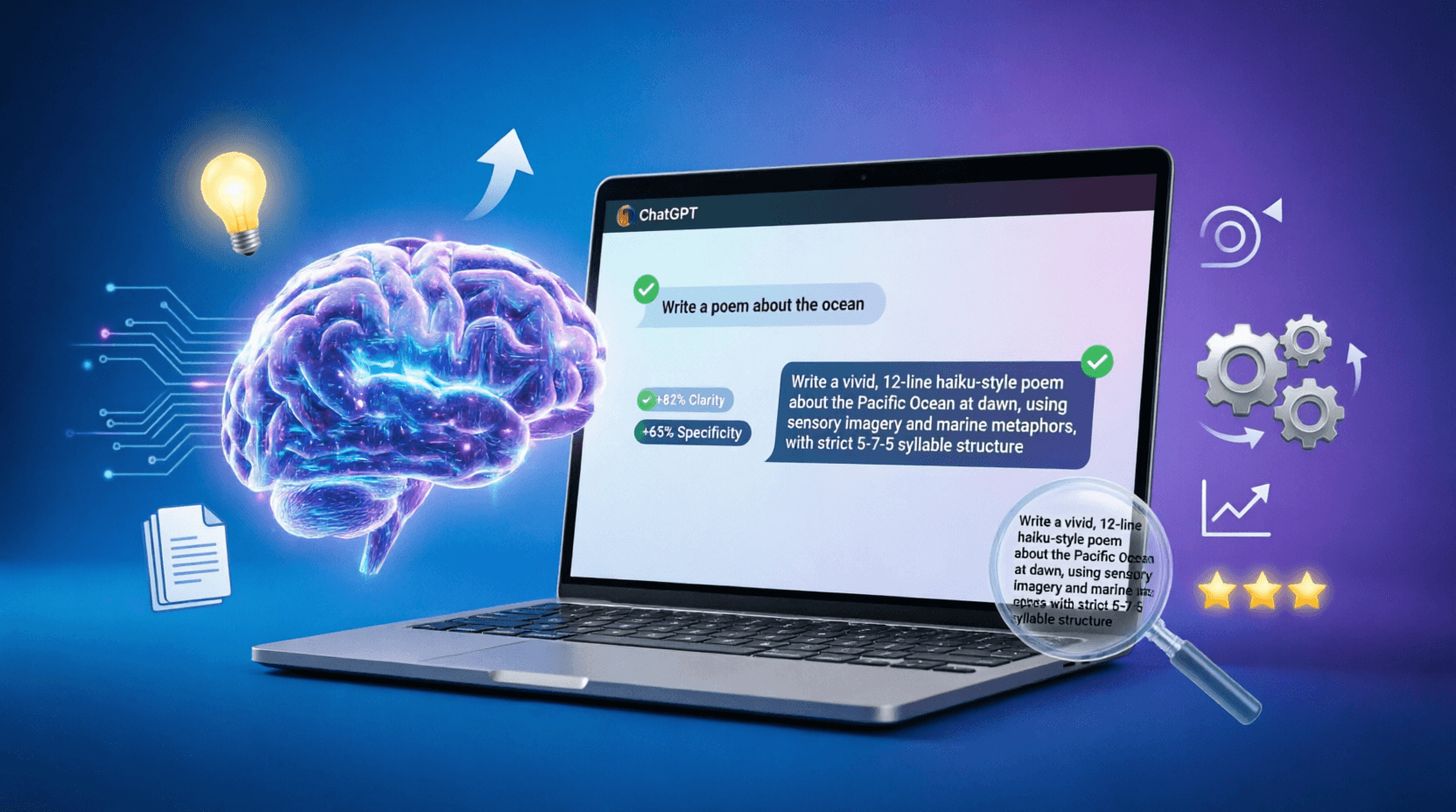
The ultimate guide to optimizing your website and prompts for ChatGPT in 2026. Generative Engine Optimization (GEO), technical preparation, featured snippets, 15 practical ways to improve AI responses, and ready-to-use prompt templates.
Comprehensive ChatGPT vs Claude vs Gemini comparison. Discover which AI model is best for coding, writing, research, and business. Complete AI tools comparison guide with pricing, features, and use cases for 2026.
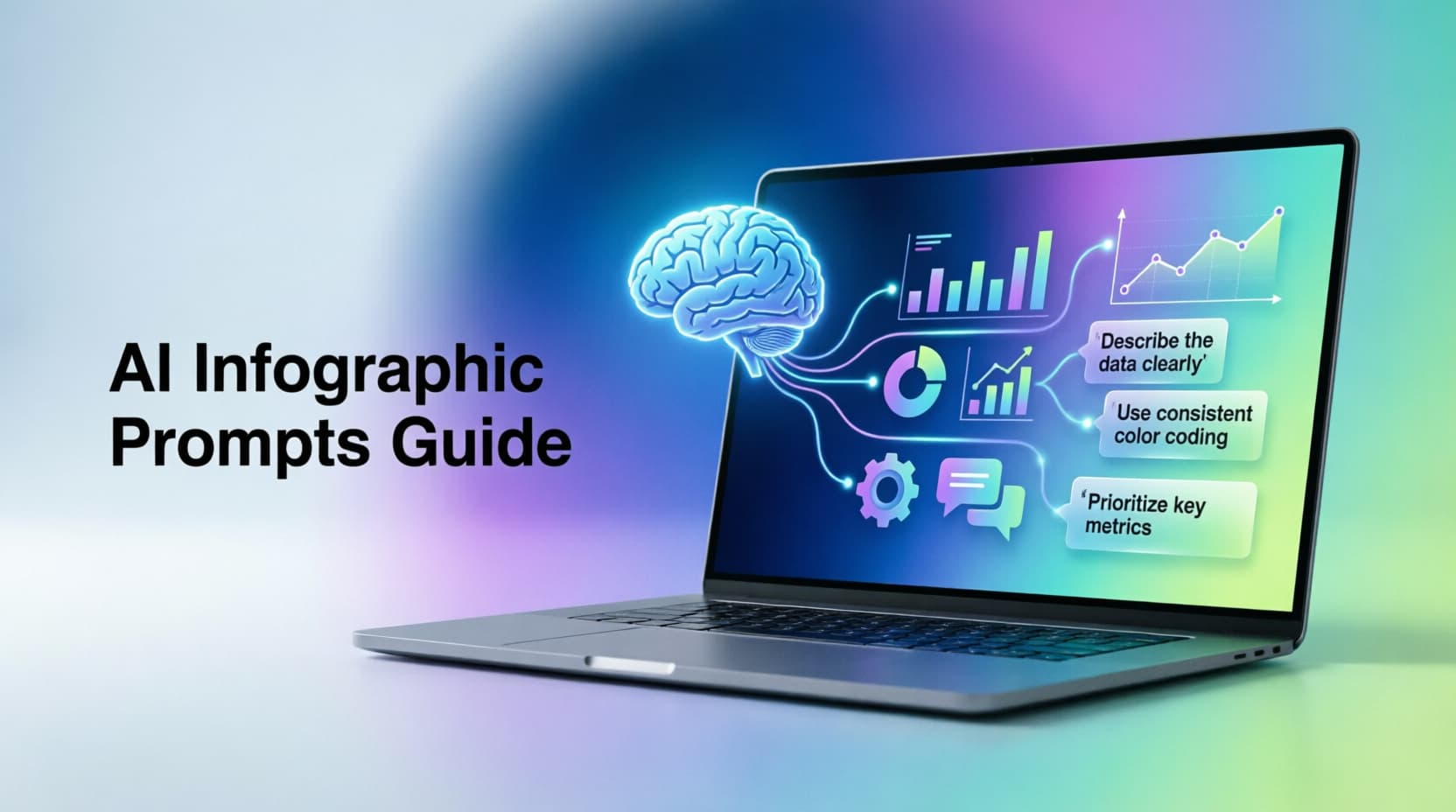
Master AI prompts for infographics with this comprehensive guide. Learn advanced techniques, real-world examples, and ready-to-use templates for ChatGPT, Midjourney, and more.