AI Prompts for Professional Logo Design
A comprehensive guide to the best AI prompts for professional logo design, featuring ready-made templates, tool comparisons, and practical tips for every business type.
AI Prompts for Professional Logo Design
Designing a professional logo no longer requires years of experience in design software or a massive budget to hire a specialized design studio. With the evolution of generative AI models, any business owner or beginner designer can obtain a professional logo in minutes, provided they know how to write the right prompt. The difference between a random, unusable logo and a print-and-web-ready logo lies not in the tool used, but in the precision and phrasing of the prompt you feed into that tool.
In this comprehensive guide, we will cover everything you need to know: from the theoretical basics of how AI understands design prompts, to a massive library of ready-made prompts categorized by business type and design style, tool-specific settings, and common mistakes to avoid. You can also test these prompts directly using our Logo Prompt Generator to create a custom prompt for your business in seconds.
This is a long and detailed reference article. You can use the table of contents above to jump directly to the section that interests you, or read it entirely for a comprehensive understanding of the world of AI logo design.
What Are AI Logo Prompts and How Do They Work?
Before diving into ready-made prompts, it is important to understand the mechanism by which image generation models transform descriptive text into a complete logo design. This understanding is what separates someone who randomly copies prompts with inconsistent results from someone who can intelligently tweak a prompt to get a better result every time.
What is a Logo Prompt?
A Logo Prompt is a structured descriptive text sent to a generative AI tool (such as Midjourney, Ideogram, or Leonardo AI) with the goal of obtaining a logo design that matches specific specifications. A good logo prompt differs from a standard image generation prompt because it requires precise additional elements: logo type (wordmark, symbolic, combination), colors via HEX codes or precise names, design style (flat, 3D, minimalist), and the required background type. The more precise these elements are, the less you will need to retry dozens of times to get a practically usable result.
How Does AI Understand Logo Design Prompts?
Diffusion-based image generation models do not "read" text the way humans do; instead, they convert it into a numerical representation (Embedding) that is compared against millions of visual examples the model was trained on. When you type "a simple coffee company logo in brown," the model searches for the visual patterns closest to this description in its training space, then gradually generates the image from random noise until it converges with the description. This explains why precise keywords (like "vector," "flat design," "negative space") yield better results than long, flowery sentences; the model recognizes these terms as clear design signals rather than general narrative descriptions.
Why Do Results Differ for the Same Prompt Across AI Tools?
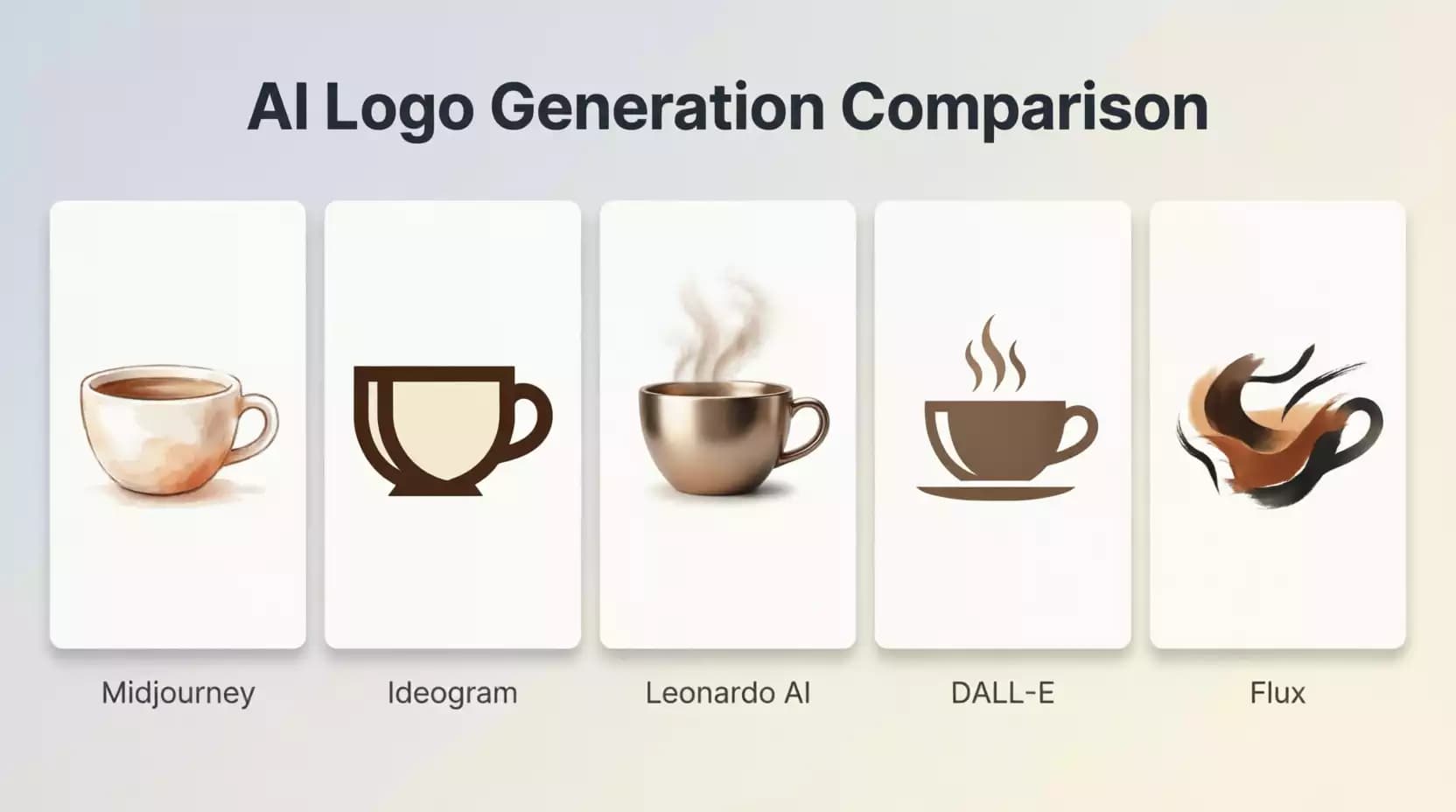
Each tool (Midjourney, Ideogram, Leonardo AI, DALL·E, Flux) is trained on a different dataset, uses a different model architecture, and applies different fine-tuning layers for its own aesthetic preferences. This means the exact same prompt might yield a sleek 3D logo in Midjourney, while producing a much simpler flat design in another tool. Additionally, some tools like Ideogram and GPT Image specialize in rendering clear, readable text within the logo, while others like Midjourney excel in overall visual aesthetics but struggle with letter accuracy. For this reason, we will dedicate a full section later to comparing these tools based on the type of logo you need.
What Are the Best AI Prompts for Professional Logo Design?
After understanding the basics, here is a collection of tested and carefully crafted prompts to cover the most common needs in logo design. You can copy any of them directly or modify them to suit your project.
Best General Prompt for a Professional Corporate Logo
A general corporate logo needs a balance between simplicity and credibility. A good prompt here combines a clear description of the business, a "professional and trustworthy" visual tone, and an explicit specification to avoid extra text or excessive details that could make the logo hard to use at small sizes.
minimalist professional logo for a [business type] company, clean geometric icon, corporate and trustworthy feel, two-color palette [color 1] and [color 2], flat vector style, white background, no text, centered composition, high contrast, scalable designStrongest Prompts for 3D Logo Design
3D logos are often used in gaming, apps, and brands targeting a younger audience. The key here is to explicitly mention lighting and shadow terms like "soft shadow" and "glossy finish," because without them, the model will tend to generate a flat logo despite your request for a 3D design.
3D logo icon for [business type], glossy finish, soft studio lighting, subtle drop shadow, isometric perspective, vibrant [color] gradient, clay render style, isolated on white background, product-readyPrompt for a Professional Black and White Logo
Monochrome logos are essential for formal uses like invoices, black-and-white printing, and thermal stamping. You must explicitly state that the design is "monochrome" and not just "black and white," because some models interpret the latter as a colored image converted to grayscale, rather than a design originally built on black and white.
monochrome minimalist logo for [business type], pure black icon on white background, no gradients, no color, bold clean lines, high contrast silhouette, suitable for engraving and printQuick Prompts for a Versatile Logo (Mobile + Web + Print)
A versatile logo needs a clear square or circular version suitable as an app icon, and a horizontal version suitable for a website header. The best practice is to generate these two prompts separately rather than trying to combine them into one.
versatile app icon logo for [business type], simple bold symbol, works at small sizes, square format with rounded corners, flat design, single accent color [color], no fine details, high legibility at 32pxAfter generating the logo, make sure to test it physically at a small size (e.g., a 60x60 pixel app icon) before final approval; details that look beautiful at a large size may disappear completely at a small size.
AI Prompts by Business Type
Every business sector has its own visual language that customers expect. A medical clinic logo should convey trust and cleanliness, while a restaurant logo needs warmth and vibrancy. This section contains ready-made prompts for each major sector.
Effective Prompts for E-commerce Store Logo Design
modern e-commerce logo for an online store selling [product type], shopping bag or cart icon merged with brand initial, friendly and trustworthy tone, flat vector design, [primary color] and white, clean sans-serif typography if text includedE-commerce store owners often prefer a logo with a simple visual symbol directly related to the idea of purchasing or delivery, as it builds immediate recognition for new visitors. You can test the results of this prompt and then refine it using our Prompt Optimizer Tool to fine-tune the details.
Best Prompt for Tech Company Logo Design
sleek tech company logo, abstract geometric symbol suggesting connectivity or innovation, gradient [color 1] to [color 2], modern sans-serif wordmark, minimalist futuristic style, dark background version includedCustom Prompts for Restaurant or Cafe Logo Design
warm inviting logo for a [restaurant/cafe type] restaurant, hand-drawn illustrative icon related to [activity-related element like a coffee cup or mint leaf], rustic vintage badge style, earthy color palette, elegant serif typographyPrompt for Medical Clinic or Healthcare Center Logo Design
professional medical clinic logo, clean cross or leaf symbol conveying care and trust, soft blue and white color palette, rounded friendly shapes, modern sans-serif typography, calm and reassuring feelWhen designing logos for the medical sector, avoid complex or sharp-angled symbols; marketing studies show that soft, rounded shapes build higher trust among patients compared to sharp shapes.
Prompts for Digital Marketing Agency Logo Design
bold creative logo for a digital marketing agency, dynamic abstract symbol suggesting growth or reach, vibrant gradient colors, modern geometric sans-serif typography, energetic and confident tonePrompt for YouTube Channel or Podcast Logo Design
playful memorable logo for a YouTube channel about [channel topic], expressive character or icon mascot, bold contrasting colors, rounded thick outlines, works well as a small circular avatarPrompts for Personal Brand Logo Design
elegant personal brand monogram logo using the letters [first and last letter of the name], minimalist luxury style, thin refined lines, [color] and gold accents, sophisticated and timeless designAI Prompts by Design Style
After choosing the right idea for your business, the next step is defining the visual style. This section covers ten major design styles with the appropriate prompt for each.
Prompt for a Clean and Simple Minimal Logo
ultra minimal logo, single continuous line icon, negative space technique, one color only, maximum simplicity, no unnecessary details, timeless clean designBest Prompt for a Modern Flat Design Logo
flat design logo, solid shapes with no gradients or shadows, bold contemporary color palette, geometric simplicity, works perfectly for web and app interfacesPrompt for a Luxury and Elegant Logo
luxury brand logo, thin elegant serif typography, gold or black and white palette, refined minimal ornamental details, high-end fashion aestheticPrompts for a Classic Vintage Logo
vintage badge logo, circular emblem with retro typography, distressed hand-crafted texture, earthy muted color palette, classic Americana stylePrompt for a Precise Geometric Logo
precise geometric logo, built from perfect circles and triangles, symmetrical balanced composition, mathematical grid alignment, modern minimalist color schemePrompts for a Fun and Distinctive Mascot Logo
fun character mascot logo, friendly cartoon-style illustration, bold outlines and vibrant colors, expressive personality, suitable for a young energetic brandPrompt for an Innovative Abstract Logo
abstract conceptual logo, fluid organic shapes representing [idea or value associated with the brand], unconventional artistic composition, unique gradient color blendBest Prompt for a Lettermark Logo
lettermark logo using the initials [letters], bold custom typography, interlocking or overlapping letterforms, single accent color, highly legible at small sizesPrompt for a Professional Monogram Logo
elegant monogram logo combining the letters [letters] into a unified symmetrical symbol, classic refined style, black and gold color palette, suitable for luxury brandingPrompts for a Traditional and Strong Emblem Logo
traditional emblem logo, text wrapped around a central icon within a circular or shield frame, authoritative established feel, two-color design, works well for print 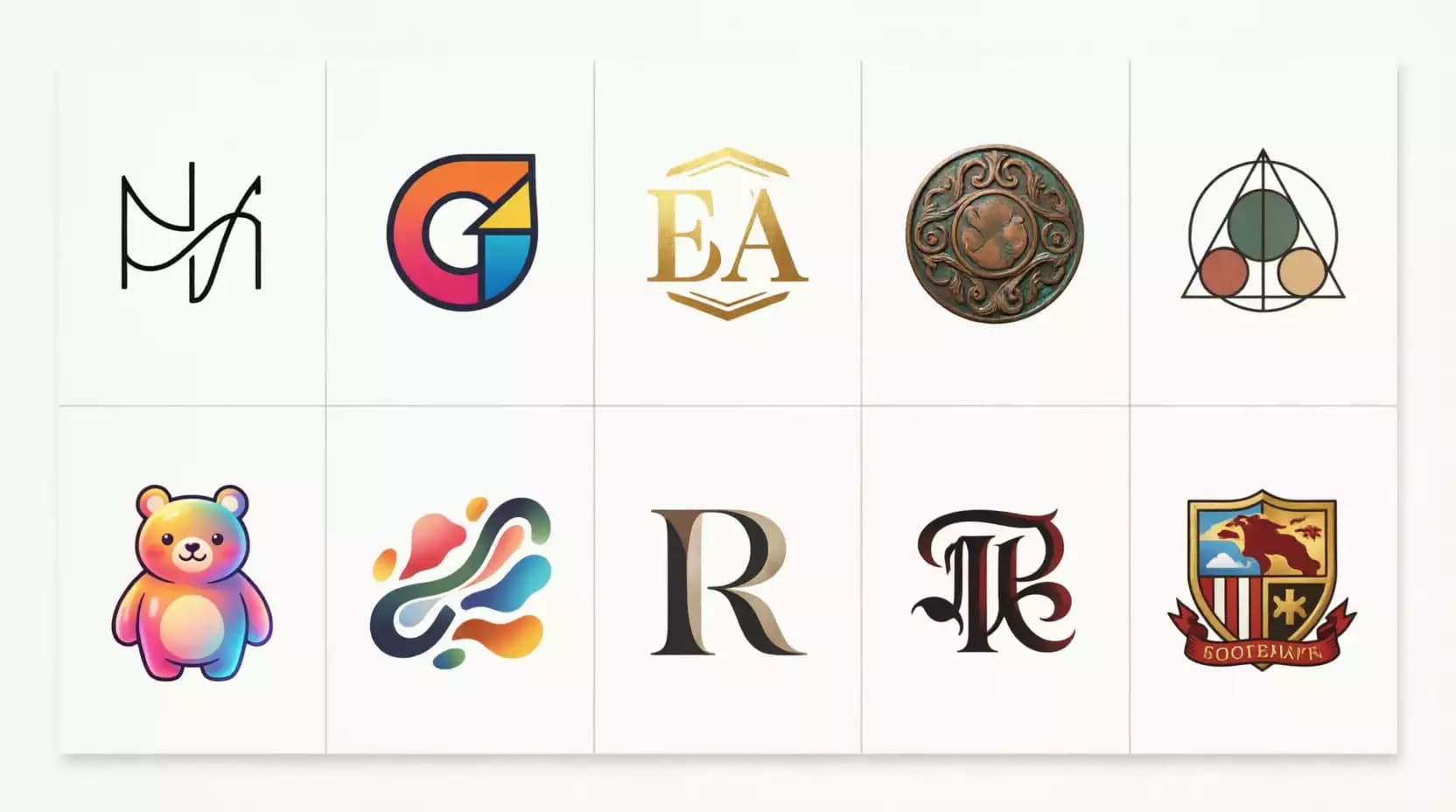
Ready-to-Use Prompt Templates You Can Copy Immediately
This section is for those who want a complete template rather than just partial examples; organized templates with clear variables you can fill in directly based on your project.
Complete Prompt Template for Designing a Logo from Scratch
professional logo design for [brand name], a [business type] company targeting [target audience]. Style: [desired style e.g., minimal/luxury/playful]. Colors: [primary color] and [secondary color]. Icon concept: [symbolic idea]. Typography: [font type if text is present]. Format: vector-style, clean background, no unnecessary text, scalable for both digital and print usePrompt Template for Professionally Redesigning an Old Logo
redesign this existing logo concept into a modern professional version, keep the core symbol of [description of the old core symbol], update the color palette to [new colors], simplify unnecessary details, apply [new desired style] style while preserving brand recognitionWhen redesigning an old logo, it is best to upload an image of the current logo as a visual reference (Image Reference) rather than relying solely on text description, as most modern tools like Midjourney and Leonardo AI support this feature and yield results closer to the original identity.
Prompt Template for Generating Multiple Logo Ideas in One Prompt
generate a set of logo concept variations for [business type], exploring different approaches: one minimal icon-based version, one wordmark typography-based version, and one abstract symbolic version, consistent color palette of [color], all in flat vector stylePrompt Template for Generating a Logo Fully Aligned with Brand Identity
brand-consistent logo for [brand name], strictly matching existing brand identity: primary color [HEX code], secondary color [HEX code], brand personality [traits like bold/calm/luxurious], typography style [description of the font used in the rest of the identity], ensure visual consistency with existing brand materialsHow to Improve Logo Design Prompts for Professional Results
Writing the base prompt is only half the journey; precise refinement of details is what turns a "good" result into a "ready for actual use" result.
Adding the Ideal Font Type Within the Prompt
Instead of writing "elegant text," specify the font category precisely: "geometric sans-serif," "elegant serif," or "bold condensed typography." These technical terms are familiar to the models because they are derived from actual typography design terminology, yielding more consistent results than general descriptions.
Specifying Colors Accurately Using HEX Codes
Writing just "blue" leaves a wide margin of interpretation for the model, whereas writing "#1A73E8" drastically reduces this variance, especially in tools that support reading color codes like Ideogram and Leonardo AI. Even in tools that do not guarantee 100% color accuracy, mentioning the code brings the result noticeably closer than a general color name.
Clearly Defining the Icon or Symbol Type
Instead of "an icon related to the business," mention the actual symbol: "palm tree," "water drop," "upward arrow." The more specific the symbol, the lower the chance of getting a generic design unrelated to your brand identity.
Successfully Adding a Transparent Background in the Prompt
Some tools support keywords like "transparent background" or "isolated on transparent background," but the actual result is often a pure white background rather than a true transparent PNG. The practical solution is to generate the logo on a uniform pure white background, then remove the background later using a specialized background removal tool to achieve true high-quality transparency.
Getting a Vector or SVG Logo Format That Is Editable
It is important to clarify a common misconception here: generative AI image tools (like Midjourney and DALL·E) produce raster images in PNG or JPG format, not true Vector files, even if you mention "vector style" in the prompt; this keyword only affects the visual style (clean lines, flat colors), not the actual file format. To get a truly editable SVG, you will need to convert the image afterward using a specialized vectorization tool.
This confusion between "Vector style" and an "actual Vector file" is one of the most common mistakes among beginners, often leading to frustration when trying to scale the logo later and encountering blurry edges.
Best AI Tool Settings for Logo Design
The exact same prompt can yield radically different results depending on the settings used in each tool. This section covers the recommended settings for each major tool.
Best Midjourney Settings for High-Quality Logos
It is recommended to use a low --stylize value (around 50 to 150) to reduce the excessive artistic freedom Midjourney tends to apply by default, along with adding --no text, gradient, photo as a Negative Prompt to avoid distorted text and unwanted photographic details. Choosing the latest version model generally yields cleaner edges and better consistency in geometric shapes.
Best Ideogram Settings for Clear Text in Logos
Ideogram specifically excels at rendering clear, readable text within the logo, making it the best choice when you need the logo to include the brand name with correct spelling. It is recommended to enable the "Magic Prompt" feature to automatically improve prompt phrasing, while keeping the desired text explicitly within quotation marks in the prompt to ensure higher spelling accuracy.
Best Leonardo AI Settings for Accurate and Fast Results
Leonardo AI offers pre-trained models (Preset Models) specifically for logos and icons. Selecting the "Logo & Icon" model directly before writing the prompt saves you a lot of manual style description. Setting the "Guidance Scale" to a medium-to-high level increases the model's adherence to the text prompt details with higher accuracy.
Best ChatGPT with GPT Image Settings for Logo Design
The advantage of ChatGPT with GPT Image is that it understands complex, multi-condition prompts better than other tools, and you can converse with it iteratively ("make the icon smaller," "change the secondary color") without rewriting the entire prompt from scratch. This makes it an excellent choice for the fine-tuning phase after obtaining a good initial idea.
Best Flux Settings for Ultra-High-Quality Professional Logos
Flux is characterized by high detail quality and excellent geometric shape accuracy, making it particularly suitable for 3D logos and relatively complex designs. Using the "Flux Pro" version with high generation resolution from the start reduces the need to upscale the image later and maintains edge clarity.
Professional Tips for Getting the Best AI Logo
Using Style Reference to Improve Results
Most advanced tools support uploading a reference image (Style Reference) alongside the text. This method is much more accurate than trying to describe a complex visual style with words alone. Find logos you like in your field, upload them as a style reference, and modify the text description to match your specific business.
Tweaking the Prompt After Each Result for a Better Design
Instead of writing a completely new prompt every time, modify only one element per iteration (color, then shape, then font) to understand exactly which part of the prompt affects which part of the result. This structured iterative approach saves a lot of time compared to random experimentation.
When to Use More Than One Tool to Create a Logo?
It is common among professional designers to use one tool to generate the initial idea and overall composition (like Midjourney), then another tool specialized in integrating clear text into the design (like Ideogram), and a third tool to refine the final resolution and details (like Flux or Leonardo). This blending of tools leverages the strengths of each rather than forcing one tool to cover all needs.
How to Make the Logo Suitable for Print, Websites, and Apps?
A successful logo must work visually in at least three different contexts: a small icon (mobile app), a horizontal header (website), and monochrome print (invoices and documents). It is recommended to generate separate versions for each context rather than relying on a single "one-size-fits-all" version, as the requirements of each context differ significantly in terms of aspect ratio and detail.
How to Write a Professional Logo Prompt in Under a Minute?
If you want to condense all of the above into a quick and practical process, follow these five steps in order.
Choosing an Accurate Business Description
Always start with a clear, direct sentence describing the business without ambiguity, such as "an e-commerce store selling natural skincare products" instead of just "online store," because this extra detail guides the model toward symbols and visual concepts more relevant to your actual field.
Clearly Defining the Target Audience
The target audience directly influences the appropriate visual tone; a logo aimed at children differs radically from one aimed at corporate executives. Add a brief description of the audience ("tech-interested youth in their twenties") to help the model choose the appropriate style and colors.
Accurately Describing the Desired Design Style
Use one clear design term instead of multiple conflicting attributes. Writing "simple, luxurious, vibrant, and playful" all at once confuses the model and produces an incoherent design, whereas choosing one main direction yields a more harmonious result.
Defining the Right Colors for the Brand
If you are unsure about colors yet, rely on the basics of color psychology in branding: blue for trust and professionalism, green for health and sustainability, red for energy and excitement, black and gold for luxury. Specify only one primary and one secondary color, as excessive color variety makes it harder for AI to produce a balanced design.
Adding Important Design Constraints Within the Prompt
Explicitly mention any necessary constraints: "no text," "no color gradients," "works at small sizes," "uniform white background." These constraints save you many rounds of revisions by preventing the model from adding unwanted elements from the very first attempt.
Common Mistakes When Writing Logo Design Prompts
Using Overly Generic Prompts Leading to Weak Results
A prompt like "a beautiful logo for my company" gives the model no actual visual cues to work with, causing it to resort to generic, repetitive patterns it saw frequently in its training data. The more specific the description, the more original and suitable the result will be for your specific project.
Overloading the Prompt with Details
Conversely, stuffing the prompt with dozens of conflicting details ("simple but complex, modern but classic") confuses the model and leads to an inconsistent design trying to satisfy all conditions without excelling in any. Balance is key: 4 to 6 precise descriptive elements are usually enough for a professional result.
Ignoring Brand Identity While Writing the Prompt
Many beginners generate a logo they find visually appealing without ensuring it aligns with the rest of the visual identity elements (website, social media, packaging). The result is a beautiful logo in isolation that does not integrate with the overall brand identity upon actual application.
Forgetting to Specify the Final Use of the Logo
A logo designed for large-scale print on a billboard differs from a logo designed for a small app icon. Failing to specify the final use in the prompt may result in a design that looks great in preview but fails practically when applied.
Not Using Negative Prompts to Improve Results
A Negative Prompt that specifies what you do not want (e.g., "no text, no gradient, no photorealistic elements") is just as important as the positive prompt itself in tools that support it. Ignoring this feature leaves a large margin for the model to add unwanted elements without you realizing it.
If you notice your results consistently include an element you don't want (like distorted text or unwanted shadows), add it explicitly to the negative prompt instead of trying to rephrase the entire positive prompt.
Comparison of the Most Popular AI Tools for Logo Design
| Tool | Best For | Text Accuracy | Speed | Pricing |
|---|---|---|---|---|
| Midjourney | Overall visual aesthetics and creativity | Medium | Fast | Paid only |
| Ideogram | Clear text within the logo | Excellent | Very Fast | Free tier available |
| Leonardo AI | Precise control over settings | Good | Medium | Free tier available |
| ChatGPT (GPT Image) | Iterative conversational editing | Very Good | Medium | Paid (via ChatGPT Plus) |
| Flux | High quality and precise details | Good | Medium to Slow | Limited free tier available |
Midjourney vs. Ideogram: Which is Better for Logos?
Choose Midjourney if your priority is high visual aesthetics without the need for text within the logo itself, and choose Ideogram if the brand name must appear clearly and with accurate spelling within the design; this has been Midjourney's historical weak point, despite improvements in recent versions.
Leonardo AI vs. ChatGPT: A Practical Comparison
Leonardo AI is better when you want precise technical control via custom settings and pre-trained models specifically for logos, while ChatGPT with GPT Image excels in the ease of iterative editing in natural language without needing to understand complex technical settings, making it an excellent choice for non-technical users.
Flux vs. DALL·E: Which Gives More Accurate Results?
Flux generally excels in geometric shape accuracy and fine detail quality, especially in 3D or relatively complex logos, while DALL·E remains a practical, fast choice for those already using the OpenAI ecosystem and not wanting to manage an additional separate tool.
Which Tool Gives the Best Professional Logos?
There is no single absolute answer; the optimal choice depends on your specific need. However, as a general practical rule: use Ideogram or GPT Image if you need text within the logo, and use Midjourney or Flux if your focus is purely on the visual symbol without text.
Best AI Tools for Logo Creation
Midjourney
Midjourney remains one of the most powerful tools in terms of overall artistic quality and stylistic diversity, suiting projects that focus on visually appealing symbolic design rather than clear text within the logo.
Ideogram
The optimal choice when text is a fundamental part of the logo's identity, thanks to its high accuracy in rendering letters and words correctly and legibly compared to most competitors.
ChatGPT with GPT Image
Stands out for its ease of use and iterative interaction, making it an excellent choice for those who prefer to "converse" with the design and tweak it gradually rather than writing complex prompts from the start.
Leonardo AI
Provides precise technical control through models and presets specifically dedicated to logos and icons, making it a strong choice for users who want higher accuracy in fine-tuning.
Flux
Known for its high detail quality and geometric precision, it is particularly suitable for relatively complex designs and 3D logos.
Recraft AI
Distinguished by its direct support for exporting results close to Vector format, making it a practical choice for those who want to reduce post-processing steps to get an easily editable file.
Conclusion
Key Tips for Writing a Professional Logo Design Prompt
Success in designing a professional AI logo relies on three fundamentals: a precise and specific description rather than a generic one, a reasonable balance in the amount of detail (neither too little nor too much), and choosing the right tool for the type of logo required (text-based vs. symbolic, simple vs. complex).
How to Choose the Right Tool Based on Logo Type
If your logo relies primarily on clear text, choose Ideogram or GPT Image. If it is a purely visual symbol without text, Midjourney and Flux are excellent choices. If you need precise technical control over settings, Leonardo AI is the most suitable.
Steps to Convert a Generated Logo into a Professional, Usable Logo
After generating a design you like, the final steps are: removing the background to achieve true transparency, converting the image to an editable Vector or SVG format, and then testing the logo at various sizes and uses (small icon, website header, print) to ensure its visual stability in every context before final adoption. You can explore the rest of the AI tools available on the platform to automate and enhance these steps.
Frequently Asked Questions About AI Logo Design Prompts (FAQ)
Try generating your first custom logo prompt for your project right now via our Logo Prompt Generator, or turn the prompt into an actual design directly via the Labnana AI platform for image generation.
You might also like
Discover the best free AI-powered image merging tools online. Learn how to merge two images into one seamlessly with AI — no Photoshop, no skills, no cost. Complete guide with 20+ tools, step-by-step tutorials, and expert tips for 2026.
Discover Labnana AI, a free artificial intelligence image generator that converts text into professional images in seconds. Learn how Text-to-Image works, best practices, and the complete step-by-step guide.
Everything you need to know about Google's Nano Banana: version history, free access, comparing Nano Banana Pro, Nano Banana 2, and Nano Banana 2 Lite, plus top applications in e-commerce, marketing, and design.
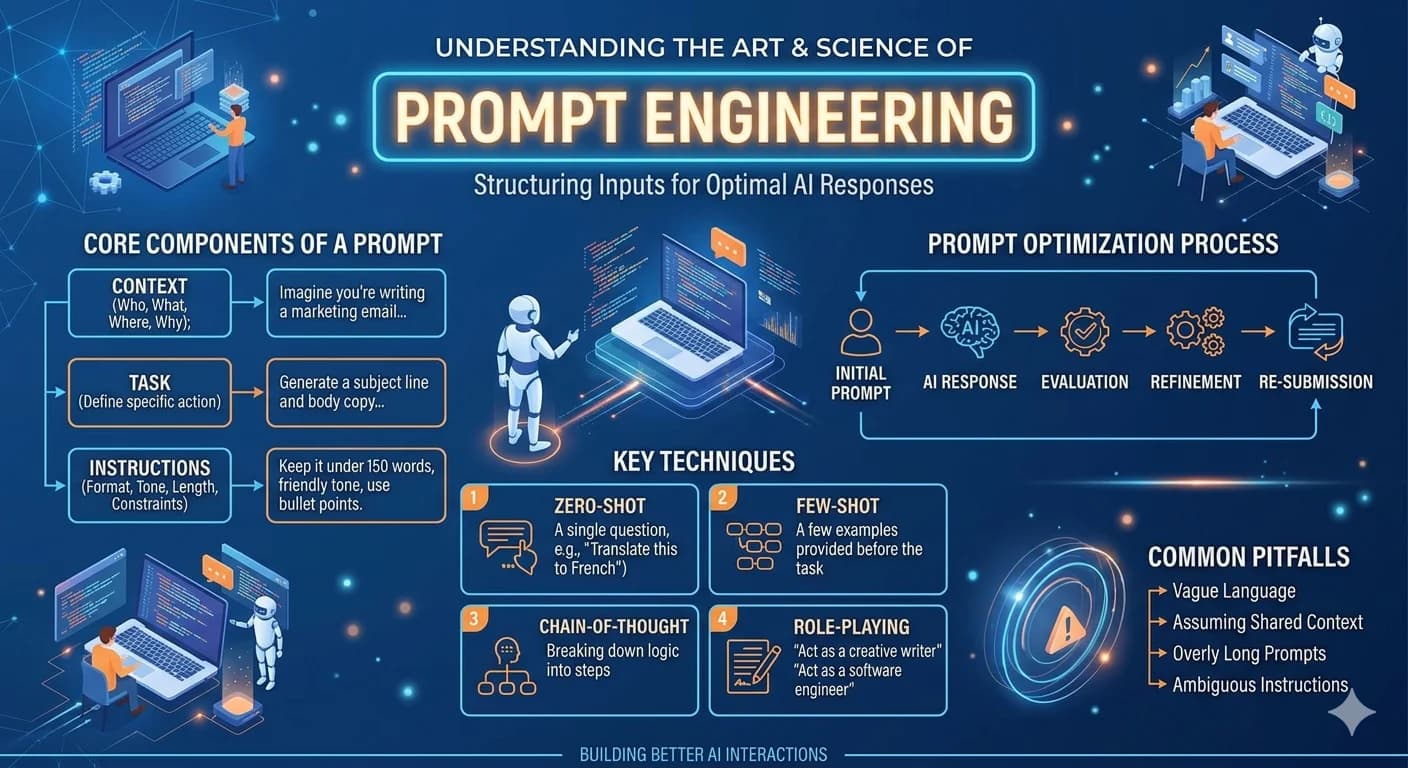
55+ free ready-to-use AI prompts for digital advertising — Facebook, Google, TikTok, Instagram, and LinkedIn with real results