
AI画像生成のためのNano Bananaプロンプト27選
Nano Bananaで使える最も効果的な27個のプロンプトを完全収録。EC、マーケティング、ポートレート、画像合成など用途別に整理しました。
AI画像生成のためのNano Bananaプロンプト27選
GoogleのNano Banana(Gemini 2.5 Flash Image)は複雑なテキスト指示を理解する能力に優れていますが、その実力をプロ品質の結果に結びつけるには、プロンプトの書き方を知っているかどうかが大きくものを言います。素人っぽい画像と、プロのカメラマンが撮影したような、あるいは熟練デザイナーが手がけたような画像との差は、たいていプロンプトの細部に宿っています。光の向き、レンズの種類、要素同士の空間的な関係、さらには言葉のトーンひとつに至るまで。
本ガイドでは、実際に検証済みの最強プロンプト27個を用途別に整理して収録しました。初心者向けの汎用プロンプトから、商品撮影やECビジュアル、そして高度な画像合成やガイド付き編集まで幅広くカバーしています。以下のプロンプトをコピーして角括弧のプレースホルダーを自分のプロジェクトに合わせて差し替えるだけで使えます。あるいはimage prompt generatorでオリジナルのプロンプトを作成し、そのままLabnana AIで画像を生成することもできます。
より良い結果を得るために、各プロンプトの下にある短い解説を必ず読んでから使ってください。なぜその言葉が選ばれているのかが分かると、丸暗記ではなく、あとで自分なりに賢く調整できるようになります。
画像クオリティを決めるのは、結局のところ「プロンプトの質」
多くの初心者は、出力の質はモデルの性能だけで決まると考えがちです。しかし実際には、プロンプトの書き方も同じくらい、時にはモデルの性能以上に結果を左右します。Nano Bananaのような高性能モデルは、言葉の微妙な違いを本当に拾い上げます。「soft lighting」と「soft studio lighting from multiple angles」の差は、紙の上では小さく見えても、影の分布やコントラストの出方がはっきり違う2枚の画像を生み出します。
つまり、正確で具体的なプロンプトを書くスキルを身につけることは贅沢ではなく、何十回もの失敗を防ぎ、運任せでプロ品質を狙う依存から抜け出すための実践的なスキルなのです。本ガイドで紹介する27個のプロンプトは、実証済みの一貫したパターンに従っています。まず被写体を正確に定義し、次に周囲の環境や文脈を描写し、そしてビジュアルスタイルとライティングを指定し、最後にアスペクト比や除外したい要素といった技術的な制約を加える。このパターンを、このリスト以外の場面でも自分のプロンプトに応用すれば、どんなアイデアでも結果は目に見えて良くなります。
高品質な画像のための汎用プロンプト
専門的なプロンプトに入る前に、まずはほぼどんなアイデアにも出発点として使える3つの基本プロンプトを紹介します。これらは優れたNano Bananaプロンプトが従うべき共通構造をよく表しています。
1. 高品質でリアルな画像のための汎用プロンプト
このプロンプトは包括的なベーステンプレートとして機能します。被写体、ライティングスタイル、想定されるカメラ、求められるディテールのレベルという、Nano Bananaが全体の雰囲気を決める際に最も重視する4要素を定義しています。
photorealistic image of [main subject], shot with a professional DSLR camera, natural soft lighting, shallow depth of field, high level of detail, realistic textures and shadows, 4k quality2. フラットイラスト調のためのプロンプト
写真のようなリアルさではなく、手描き風のアーティスティックな雰囲気が欲しいときは、イラストのスタイル(フラット、水彩、シンプルな線画など)を明確に指定しましょう。ここを曖昧にすると、モデルがプロジェクトに合わないランダムなスタイルを選んでしまいます。
flat illustration of [subject], clean vector-style linework, soft pastel color palette, minimalist composition, white background, modern editorial illustration style3. 適切なアスペクト比を指定するプロンプト
アスペクト比は見落とされがちですが非常に重要です。横長のウェブサイトヘッダー用の画像と、縦長のInstagramストーリー用の画像では、必要な比率がまったく異なります。
[description of the desired image], composition optimized for a [16:9 / 1:1 / 9:16] aspect ratio, balanced framing, clear focal point, no cropped elements at the edgesNano Bananaはプロンプトに明記すれば一般的なアスペクト比を理解しますが、ツールのインターフェースに専用のアスペクト比設定がある場合は、テキストだけに頼らずそちらも設定するとより正確になります。
商品撮影・EC向けプロンプト
Nano Bananaの最も一般的な実用用途のひとつが、物理的なフォトスタジオのコストをかけずにプロ品質の商品写真を生成することです。この目的のために厳選した4つのプロンプトを紹介します。
4. 白いスタジオ背景に商品を置くプロンプト
これはAmazonや楽天などほとんどのマーケットプレイスが求める標準フォーマットです。均一な白背景と、ムラのない均等なライティングの両方が、掲載承認のために欠かせません。
professional product photography of [product name], pure white studio background, soft even lighting from multiple angles, no harsh shadows, centered composition, high resolution, e-commerce ready5. リアルなライフスタイル商品ショットのプロンプト
商品が実際に使われている様子を見せるライフスタイル写真は、単純なスタジオ撮影に比べてコンバージョン率を明確に押し上げます。顧客が自分が使う姿を想像しやすくなるからです。
lifestyle product photo of [product name] being used in a [setting description, e.g. modern living room / cozy home kitchen], natural daylight, cozy realistic atmosphere, candid unposed feel, product clearly visible and in focus6. 真上からのフラットレイ商品ショットのプロンプト
真上から撮る「フラットレイ」スタイルは、コスメや食品、アクセサリーなどで非常によく使われます。メインの商品の周りに他の要素をどれだけ視覚的にバランスよく配置するかが鍵になります。
top-down flat lay photo of [product name], surrounded by [related complementary items], neutral background texture like marble or wood, soft natural light, minimalist aesthetic, perfectly symmetrical arrangement7. 既存の商品写真の背景を変更するプロンプト
ゼロから新しい画像を生成する代わりに、Nano Bananaのガイド付き編集機能を使えば、アップロードした実際の商品写真の背景だけを、商品の形を一切歪めることなく差し替えられます。
keep the product exactly as it is in the uploaded image, replace only the background with [new background description], match the lighting direction and shadow style to the new background naturally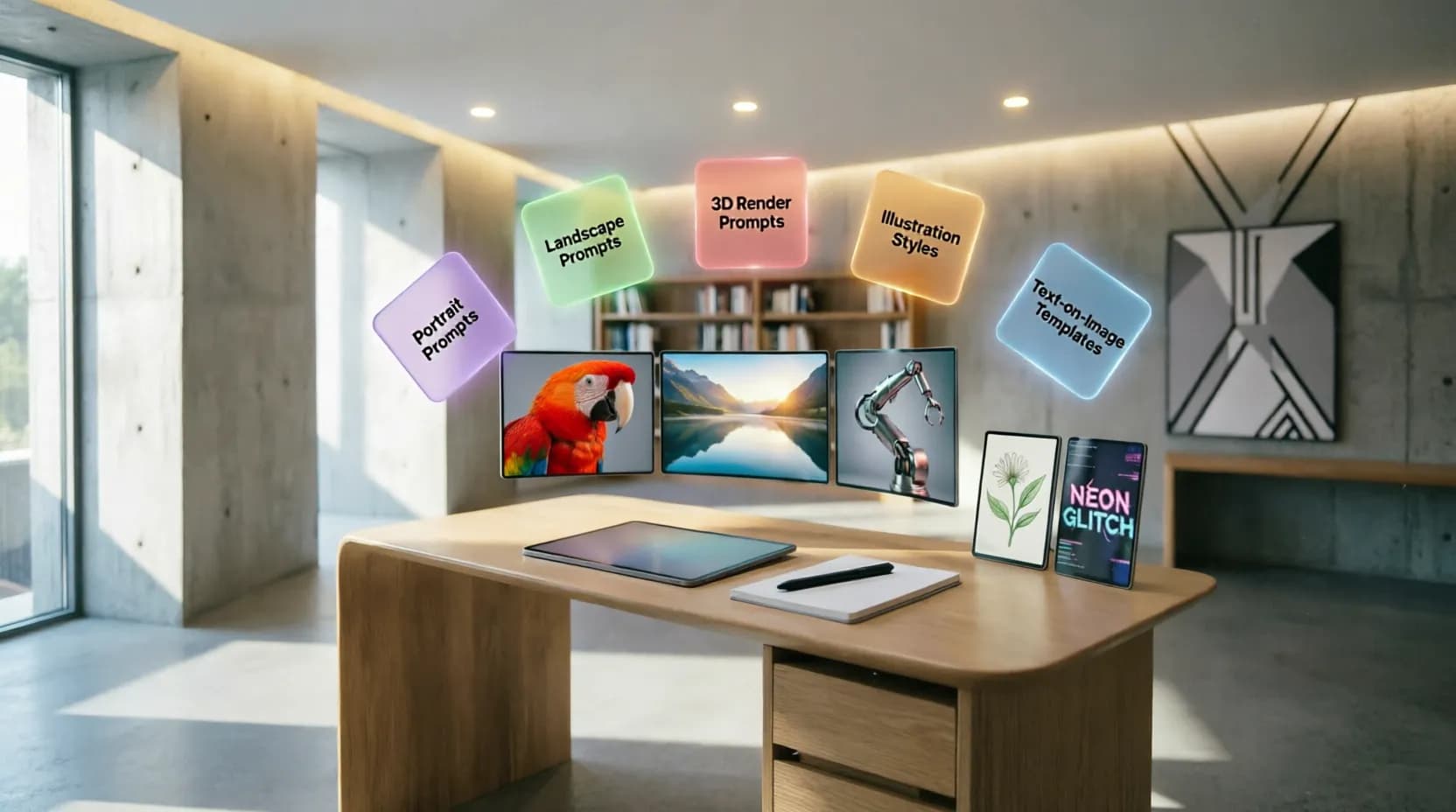
マーケティング・デジタル広告向けプロンプト
デジタルマーケターが必要とするのは、瞬時に目を引き、メッセージが明確に伝わる画像です。その目的に特化した3つのプロンプトを紹介します。
8. キャッチーな見出しを組み込んだ広告画像のプロンプト
Nano Bananaは画像内に明瞭なテキストを描画する能力に長けているため、マーケティング用の見出しをデザインに直接埋め込むよう依頼できます。位置やフォントスタイルを指定すれば、読みやすさも確保できます。
bold advertising banner for [product or service name], vibrant eye-catching background, large clean sans-serif headline text "[ad copy]" positioned at the top, product image integrated naturally, strong contrast for readability9. 「ビフォーアフター」風の広告画像のプロンプト
「ビフォーアフター」形式は、スキンケアやフィットネス、住宅リフォームなどの分野で非常に効果的です。画像を視覚的に対照的な2つの半分に明確に分割することが要点になります。
split-screen before and after comparison image, left side showing [the "before" state], right side showing [the "after" state], clear visual contrast, bold divider line in the middle, labels "Before" and "After" in clean typography10. 季節・イベント連動の広告画像のプロンプト
商品を特定の季節やイベント(ラマダン、夏、新学期など)と結びつけると、広告がその時々の文脈により即したものになり、通常はエンゲージメント率が向上します。
seasonal advertising image for [occasion, e.g. Ramadan / summer sale / back to school], festive decorative elements related to the occasion, warm inviting color palette, product prominently featured, celebratory atmosphereポートレートプロンプトとキャラクターの一貫性
Nano Bananaの高度なCharacter Consistency機能のおかげで、同じキャラクターを複数のシーンで安定した顔立ちのまま生成することが高い精度で可能になりました。この機能を活かすための3つのプロンプトを紹介します。
11. プロのスタジオライティングのポートレートのプロンプト
professional studio portrait of [description of the person], soft rembrandt lighting, neutral gray background, sharp focus on the eyes, natural skin texture, shallow depth of field, corporate headshot style12. 新しいシーンでも同じキャラクターの特徴を保つプロンプト
このプロンプトはキャラクター一貫性機能を活用するために設計されています。キャラクターの参照画像を添付し、まったく新しい文脈にその人物を配置するようモデルに依頼することを前提としています。
keep the exact same facial features, hairstyle, and identity of the person in the reference image, place them in a new scene: [description of the new scene], adjust lighting and pose naturally to match the new context13. シーンをまたいで特徴が一貫したカートゥーンキャラクターのプロンプト
consistent cartoon character design: [detailed description of the character: shape, colors, clothing], same character appearing in a new pose and scene: [scene description], maintain identical facial features, colors, and proportions across all generations最も良い一貫性を得るには、毎回の新しいプロンプトに必ず元のキャラクター参照画像を添付してください。テキストの説明だけに頼らないことが大切です。視覚的な参照があると、顔立ちのわずかなズレさえも大幅に減らせます。
画像合成のためのプロンプト
複数の画像の要素をひとつのまとまりのあるシーンに統合するNano Bananaの能力は、クリエイティブな可能性を大きく広げます。この目的のための実用的なプロンプトを3つ紹介します。
14. 商品を別の参照背景と合成するプロンプト
combine the product from the first image with the background scene from the second image, match the lighting direction, shadow softness, and color temperature so the final composition looks like one authentic photograph15. 人物を新しいシーンや背景に配置するプロンプト
place the person from the uploaded photo into the scene: [description of the new scene], preserve their exact facial identity and body proportions, blend the edges naturally with realistic lighting and shadow consistent with the new environment16. 複数の独立した要素をひとつのデザインに統合するプロンプト
merge the following elements into one cohesive composition: [list of elements to combine], arrange them in a balanced natural layout, unify the lighting and color grading across all elements so they appear photographed together画像内にテキストを追加するためのプロンプト
Nano Bananaの最も強力な機能のひとつが、画像内に明瞭でスペルミスのないテキストを生成する能力です。この機能を実用的に活用する3つのプロンプトを紹介します。
17. 実際のタイトルを描画した本の表紙のプロンプト
book cover design for a [genre/type of book], atmospheric illustrated background matching the theme, large elegant serif title text "[book title]" centered at the top, author name "[author name]" in smaller text at the bottom18. 明瞭なテキストの看板や店舗バナーのプロンプト
realistic storefront sign mockup with the text "[required text]" in bold clean lettering, mounted on a [type of storefront], natural outdoor lighting, realistic material texture and shadow19. 既存の画像内のテキストを翻訳するプロンプト
replace the text in the uploaded image with its translation in [target language], keep the exact same font style, size, color, and position as the original text, preserve all other visual elements unchangedリアルな自然風景・背景のためのプロンプト
Nano Banana、特にNano Banana 2は、視覚的リアリズムの高い自然風景の生成に優れています。この強みを活かす3つのプロンプトを紹介します。
20. シネマティックなライティングのリアルな風景のプロンプト
breathtaking realistic landscape of [location description], golden hour cinematic lighting, dramatic sky with soft clouds, rich natural color grading, ultra-detailed textures, wide-angle composition21. デザイン用途に適した自然背景のプロンプト
soft blurred natural background of [type of scene, e.g. forest / beach / garden], bokeh effect, muted calming color palette, no distracting sharp details, suitable as a background layer for text overlay22. リアルな建築・都市景観のプロンプト
photorealistic architectural visualization of [description of the building or space], modern minimalist design, natural daylight through large windows, realistic material textures like concrete and wood, professional architectural photography styleクリエイティブ・アート系デザインのためのプロンプト
フォトリアリズムを超えて、Nano Bananaはさまざまなスタイルのクリエイティブなアート作品も生み出せます。この方向性のための3つのプロンプトを紹介します。
23. グラデーションカラーの抽象アートのプロンプト
abstract digital artwork with flowing organic shapes, smooth gradient blend of [first color] and [second color], dreamy soft-focus atmosphere, modern wallpaper-style composition, high resolution24. 3Dレンダリングデザインのプロンプト
3D render of [subject], clay material style, soft studio lighting with subtle shadows, pastel color palette, isometric or slightly angled perspective, clean minimalist background25. コラージュ風画像のプロンプト
creative collage-style composition combining [list of elements to blend artistically], torn paper edges and layered textures, mixed media aesthetic, bold contrasting colors, artistic magazine-style layoutガイド付き編集のためのプロンプト
最後に、こちらの2つは、画像の他の要素に影響を与えずに既存の画像を精密に編集するNano Bananaの能力を活用するプロンプトです。
26. 特定の要素ひとつだけ色を変えるプロンプト
change only the color of [specific element] in the uploaded image to [new color], keep every other element, lighting, and shadow exactly as they are in the original photo27. 画像から不要な要素を削除するプロンプト
remove [element to remove] from the uploaded image completely, seamlessly reconstruct the background behind it to match the surrounding area naturally, keep all other elements unchanged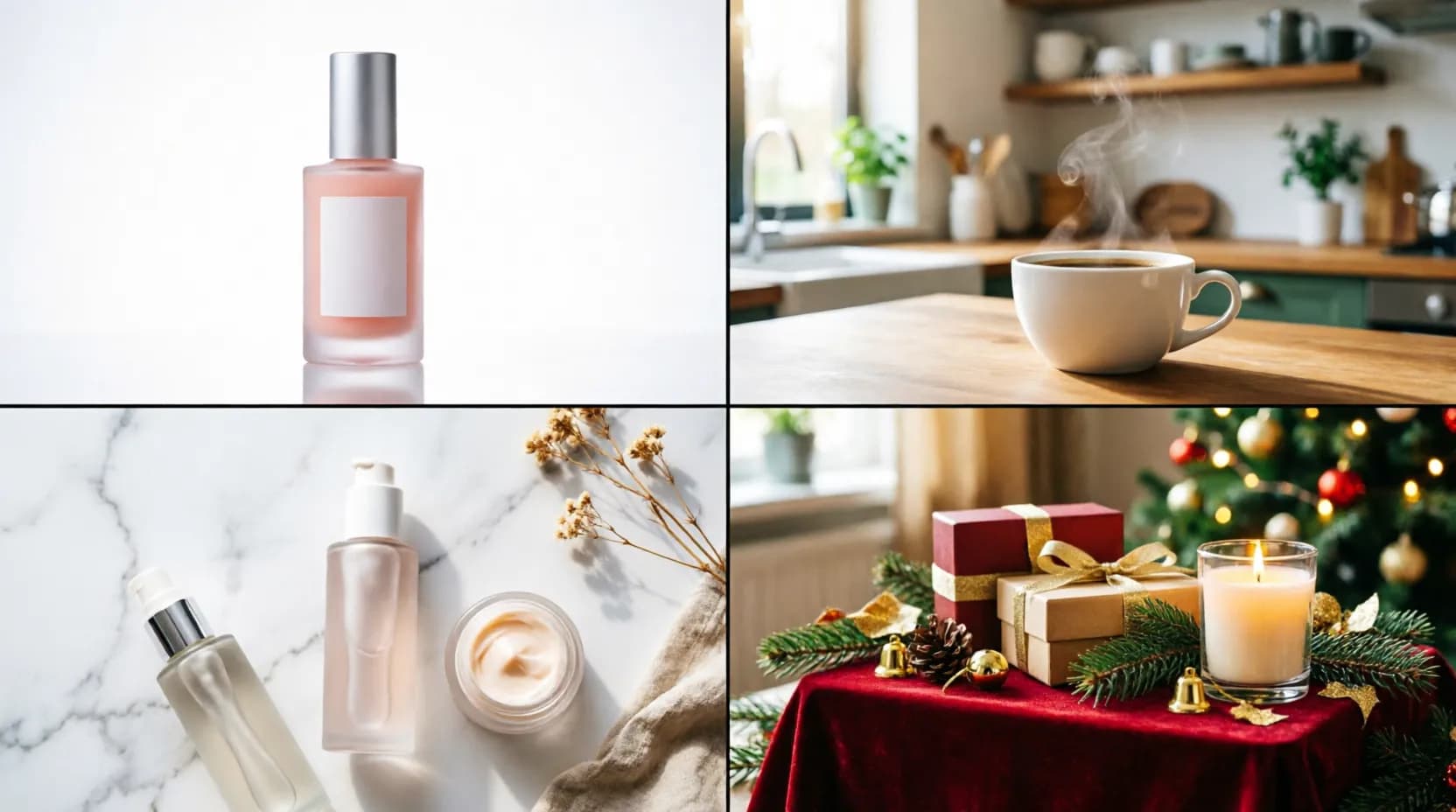
どんなNano Bananaプロンプトでも結果を良くするちょっとしたコツ
上記のリストのどのプロンプトを使うにしても、3つの習慣が全体的な出力品質を一貫して高めます。第一に、ライティングについて具体的に指定すること(natural、studio、golden hourなど)。これは画像全体の雰囲気を、他のどの要素よりも大きく左右します。第二に、既存の画像を編集するときは、変更したいことだけでなく、変更せずに残すべきことも明示すること。これにより、画像の他の部分への意図しない変化が大幅に減ります。第三に、最初の試行がしっくりこないときは、一度にひとつの要素だけを調整して反復することをためらわないこと。この構造化された反復アプローチは、毎回プロンプト全体を書き直すよりもはるかに速くゴールに近づけます。
さらに、リアルな画像を求める際は必ず「仮想カメラ」の種類を指定してください(professional DSLR camera、macro lens、wide-angle lensなど)。この技術的なディテールが、モデルを実際の写真撮影で馴染みのあるパターンへと導き、画像を明らかに「AI生成っぽく」見せてしまう人工的なパターンへの流れを防ぎます。同様に、複数の詳細を同時に含む比較的長いプロンプトを書くことを恐れないでください。Nano Bananaの高度な文脈理解力は、ある程度の長さを超えると焦点を失う競合モデルよりも、複雑で多条件の文をはるかに正確に扱えます。
最後に、以前うまくいったプロンプトの個人的なライブラリを維持し、新しいプロジェクトのたびにゼロから始めるのではなく、少しずつ洗練させていくようにしましょう。このアプローチは長い目で見ると大幅な時間節約になります。特にECやSNS運用など、定期的に画像を生成する必要がある分野で働いている場合、繰り返し必要になるコンテンツタイプごとに、すぐ使える検証済みの「テンプレート」が自然と蓄積されていきます。
このリストのどのプロンプトも、Labnana AIで今すぐ試せます。また、image prompt generatorを使えば、あなたのプロジェクトに合わせて自動でカスタマイズできます。
Nano Bananaプロンプトに関するよくある質問(FAQ)
You might also like
GoogleのNano Bananaについて知りたいことを一通り解説。バージョンの歴史、無料での使い方、Nano Banana Pro・Nano Banana 2・Nano Banana 2 Liteの比較、ECやマーケティング、デザインでの活用例まで紹介します。
最高の無料AI画像マージングツールをオンラインで発見。Photoshop不要、スキル不要、コスト不要で、AIを使って2枚の画像をシームレスに1枚に統合する方法を学びましょう。20以上のツール、ステップバイステップのチュートリアル、専門家のヒントを含む完全ガイド。
ビジネスの種類に応じた実用的なヒント、ツール比較、すぐに使えるテンプレートを備えた、プロフェッショナルなロゴデザインのための最適なAIプロンプトに関する包括的なガイド。
Labnana AIを発見しよう。テキストを数秒でプロフェッショナルな画像に変換する無料のAI画像生成ツールです。テキストから画像への変換の仕組み、ベストプラクティス、完全なステップバイステップガイドを学びましょう。